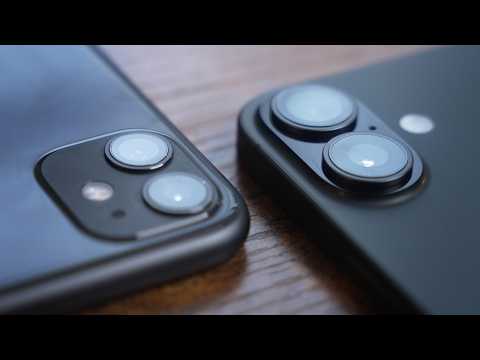
How much better are iPhone cameras 5 years later?
Duration
17:10
Captions
1
Language
EN
Published
Sep 28, 2025
Description
I feel like most iPhone camera comparisons are only between 1 generation, where it honestly barely changes for the most part, so before I trade in my iPhone 11 I thought I'd use it to show how much iPhone camera's have improved within 6 generations while comparing it to my new base model iPhone 17. Also again, thank you fellos and fellas for the recent support 😎 very cool stuff and I appreciate it -- 🎵 Where I get my music (30 days free): https://share.epidemicsound.com/wx8uzb 📸 Gear I use: https://kit.co/CarterNolan/my-gear-for-creating 📲 All of my links: https://linktr.ee/CarterN Carter Nolan is a participant in various affiliate programs - the creator may earn a commission when there's a purchase from the links. There's no additional cost to the buyer. -- Contact: CarterNolanBiz@gmail.com -- Current Subscribers: 12,934
Captions (1)
So, I just upgraded from my iPhone 11 to
the new base model iPhone 17. And before
I trade in the 11, I thought it'd be
interesting to compare the cameras.
Usually, phone cameras are just slightly
improved each year where it's not
actually worth it just to upgrade for
the camera. But what's the difference
like after six generations? So, I'm
going to go over some of the main
differences between the two phone
cameras and then also the available
features on each. And of course, at the
end, I'll be doing a side-by-side camera
quality comparison with all of them. And
by the way, as I'm recording this, we
just hit 10,000 subscribers, and I don't
have enough fingers and toes to count
that high. So, that's pretty awesome.
Thank you. So, starting with the new and
exciting iPhone 17, you have two 48
megapixel camera sensors on the back.
One is the standard 26 mm, and then the
other is the.5x 13 mm ultrawide. And the
ultra wide also has some good macro
capabilities, so that can come in handy
when you're getting a close-up. And in
the default camera app, you can
digitally zoom up to 10 times for photo
and I believe six times for video. And
on the iPhone Pros, you get a telephoto
lens, which this does lack. I wish it
had it. And something that's new to me
that I actually have been barely able to
test yet is the camera control button,
which I'm looking forward to using
later. I like just figured out how it
works. And you can control a lot of
things from here, which is pretty
convenient. And although I'm personally
not much of a selfie guy, there are some
huge improvements on the 17s. And this
year that's a 20 mm lens, so it's nice
and wide. And it's at 18 megapixels. And
specifically on the video side, you can
now get dual capture, which is a new
feature. And you know, I think it's kind
of fun. And with all of that, of course,
it comes with probably the biggest, most
useful, at least to me, improvement on
the selfie camera, and that's the wide
angle refframe. Even when you're holding
your phone vertically, especially if
you're just trying to take a picture,
it's like, "Oh, no one's fitting. Oh,
now now everyone's fitting." And the 17
can record up to 4K 60 frames per
second. Or if you flip it in the slow
motion mode, you can get up to 240
frames per second in HD. You can record
in HDR, but unfortunately you can't
record in Apple ProRes Log or now ProRes
RAW. That's only for the Pro phones,
which I would like to have that feature,
but this is this is plenty. Now, you can
record spatial video, which is like 3D,
but I don't have an Apple Vision Pro, so
I really don't know if I'm going to hit
on that in this video or ever, to be
honest. But hey, it's a it's a feature
there and it's cool. But what I will hit
on this video is the new well new to me
cinematic mode which adds some
background blur and also the action mode
which just adds some extra
stabilization. And although it's not
directly a part of video, it is needed
for video and that's storage. The 17
came with double the base storage as the
16 and four times the storage on my
iPhone 11. So that's definitely helpful.
When I was recording a video testing my
iPhone 11 camera to my main Sony FX3
camera, it kept running out of storage
and that caused a lot of problems. Not
exactly the ideal video experience. And
as far as the iPhone 11, it has the same
back two cameras, at least in terms of
it being a 26 mm and a 13 mm.5x
ultrawide, but each of these only has 12
megapixels, which is four times less
than the iPhone 17. Now, when it comes
to video, megapixels aren't everything.
Actually, the camera I'm recording on
right now only has 12 megapixels, but it
also has a full-frame sensor, which like
by itself is the size of this entire top
part of my phone, and it's also where a
lot of the noticeable quality
differences come from. Megapixels really
tend to stand out when it comes to
photos. There's just extra detail to
zoom into, and sensor size tends to
stand out for videos because it can
allow better low light performance, more
depth of field, and things like that.
And I believe the only way to actually
take advantage of all 48 megapixels in
the sensor is by taking photos. I think
for video, each of these phones only
record at about 8 megapixels per frame.
So now I'm even more interested to see
the difference between these. And as you
might be able to see in terms of the
sensor size between the two phones. The
17s is about three times bigger. So
there should be a pretty big quality
difference there. But the front cam on
the 11 is also incredibly underwhelming.
It's a 23 millimeter lens instead of a
20 millimeter. And it's sitting at 12
megapixels, which is six less than the
iPhone 17's 18 megapixels. This is so
many numbers. On the 11, you can only
digitally zoom in five times for photos
and three times in videos. And also for
videos, the max recording is 4K 30
frames per second. And I believe you
could do 240 frames per second, but only
in 720p for slow motion. It doesn't have
HDR. It doesn't have cinematic mode. It
doesn't have action mode. And it
definitely doesn't have Apple ProRes log
or raw. And yeah, that's it for the
iPhone 11. What's most important at the
end of the day is the actual visual
differences that I mean, you're going to
be able to see for yourself or maybe not
see for yourself. So, I have six quick
test shots that I'm going to get with
both phones. And as you can see, I have
my 11 already set up. And you might be
able to guess, I'm testing the ultrawide
camera first. And I almost always
avoided using the ultra wide on my 11
just because it got so like grainy in
lower light. Okay, the 11 is done. Now
time for the 17 here. Let's pop that
into.5.
Hey, that should be a good little side
by side test there. You know, according
to Apple, their words, not mine. Four
times the quality in the ultrawide. So
doing the math, you carry the one
multipliers should be like eight times
the quality of the iPhone 11s. For our
next shot, we're going to grab one of
this. And you might not be able to see
that, but hopefully with the macro
capabilities of these cameras, maybe we
can. So, our goal is just to get as
close as possible. This is just in the
1x, I believe, in.5 you can get a little
closer. See, even that close, that's
just not quite in focus. And actually,
it looks like the 1x zoom is a little
better. So, it looks like that's the the
closest we're getting with the iPhone 11
that natively doesn't have any support
for macro. So, let's see how the iPhone
17 does. And with the 1X, we're already
closer. And I got to say, just
generally, the iPhone 17's screen is
brighter, better in every single way.
It's taking up the entirety of the frame
on 1x on.5x.
We're practically touching it here. We
are uh pretty close and comfortable
right now. I'll grab a recording there.
That is a obviously much better
performance than the 11 as expected
though. Now, I have this shot set up
here, which is pretty much what I would
do for my regular video using my real
regular camera, my Sony FX3. So, I'd be
curious to see how it holds up. Right
now, I'm on the iPhone 11 to start out
with. And now I'm on the iPhone 17 in
the default mode. I am going to test the
cinematic mode. It's an artificial
background blur. It's not like real
depth of field that you would get in
like my Sony FX3, but honestly, I just I
think it's a great feature. You might
not want to overuse it, but I think for
especially a shot like this, it can
really just add a layer of well depth.
But I am curious to see how it holds up
because this is again the first phone
I've ever had with it. I think the most
underrated way generally to record video
is using slow motion. It's like the only
way possible to slow down time, and I
think that's cool. So, I'm going to be
going as slow motion as possible with
both of these phones. Starting with the
iPhone 11. If we pop that into slow
motion, we can go 720p 240 frames. And
you can see the focus kind of jumping.
So if you actually tap and hold, it
locks and holds the focus to that spot,
which is a cool little tip. Start that.
Now for the iPhone 17, I want to see if
I could set this whole thing up using
the camera control button. I believe if
I tap it, it opens it up. And if I kind
of like half press it, I can get the
zoom, which that's that's cool. And if I
double tap it like that, I can switch it
from camera styles, tone,
depth, exposure. I guess I can't change
the mode. Well, I got far enough for me.
So, if we go to video and we can scroll
past cinematic to slow motion, and you
can see it still records in 240 frames,
but it's in HD, which is 1080p, which is
higher quality than the 11. So, let's
give this a go. I mean, I say this every
time for every single shot. It's going
to be interesting to see the results
there because it's the same frames per
second, just a different level of
quality and different cameras and
sensors, too. So, okay. Now, this one's
easy because I'm just testing the selfie
camera, so I don't really have to set up
much of a shot here. I am the shot. And
just by looking at the screens here, I
can already tell there's a difference of
noise. The iPhone 17 looks a lot
cleaner. And putting them side by side,
you can see that the 11 is a little bit
tighter, while the 17 is a little more
wide. Now, for a selfie camera, you
probably want it a little wider. So, it
looks like if you start recording on
this 17 vertically, you can't auto
refframe it. But if you stop the
recording and then click it, and then
just like that, I'm still holding it
vertically and it's recording
horizontally. Now, this is way more
comfortable for me. Also, if you ever
happen to record something in public,
this just looks like you're on your
phone. It's a lot more natural looking
instead of walking around like this,
which is obviously people are going to
know what you're doing and I'm too
scared to have social interaction.
People ask what I'm recording. Now,
finally, for the last shot, it's I mean,
just going to be a pretty basic B-roll
kind of shot, but there are a few apps
out there that kind of allow you to
unlock the full potential of your
phone's camera. There's Final Cut
camera, or what I use, and it is also on
Android, Blackmagic Camera. So, believe
it or not, it actually is still
supported on iPhone 11. So, I'm going to
take a look at that. So, if you ever
used like a real professional camera,
these are pretty much all the same
settings. So, starting with the lens,
I'm going to do just the default lens.
White balance, we can cool down to maybe
5200. And the ISO I'll increase up to
about 60. The ISO is usually where your
camera gets like grainy or noisy. So,
being able to actually control that is
really helpful. And we'll just get a
shot like that. Making it look like I'm
doing a lot of work here. So, I've set
up and dialed in the exact same settings
on the 17 now. And just for comparison
sake on the 17, I'm also going to record
it just on the default camera app to see
the differences there. And apparently
the camera control actually integrates
with Blackmagic Camera. So that's cool.
And now it's time to take a look at the
footage side by side. And that's truly
where the differences will be seen if
there are any. But I hope there are.
Otherwise, I just partially wasted my
money upgrading. So the first shot was
the ultrawide at my desk here. And if
you look in the corner, you can see a
ton of noise. That is not a very
good-looking video. So, if we switch it
over to the iPhone 17,
it's like the noise just disappears. It
got Thanos snapped. You know, maybe
Apple wasn't lying when they said they
made a lot of improvements to the
ultrawide on the 17. I mean, this is
looking pretty good. It's actually
usable now. Now, the next shot was macro
or whatever you want to call this
attempt from the iPhone 11. This was the
closest we're able to get it on either
of the two back cameras. Not very close.
I'm very shaky in that video. But if we
go to the 17s, like my phone was pretty
much touching it. So, I mean, it is
pretty niche when you're going to need
to get a shot this close, but just the
fact that you can on the 17, it just
makes it more versatile. I like it's a
phone camera. This device is used for
texting and calling, and you can record
video and apparently macro video. The
next shot's going to look something like
this. It's my A-roll setup, and this is
the iPhone 11. Like that looks pretty
good. Honestly, there's a little bit of
noise, especially in these darker areas.
And my face does look kind of like
overly smooth and plasticky. You know, I
I have a a little skincare routine, but
not like that. But if you take a look
like outside the window or I mean even
just in the background there, it's all
kind of in focus. There's not much like
depth of field like you would get in a
camera like this. Now, if we switch this
over to the iPhone 17, you can see
there's almost more, I guess, dynamic
range. My hair looks less just splotchy
and dark. There's just like a little
more detail there. And there is a little
bit more depth of field. It's not that
noticeable to be honest. And on the 11,
if you take a look at the couch here or
in this corner here, and then we go back
to the 17, all of that noise is gone.
It's it's out of there. And when it
comes to video, that makes a huge
difference. So, that's definitely a pro
when it comes to the 17's camera. I
mean, not that the 11 ever stood a
chance in this video, but like the point
of this video is just to see like how
far the cameras have come over many
generations, not just like one, which is
what most comparisons are testing. And I
also tried the cinematic camera. You
know, at first glance,
not very good. It looks like it kind of
just cut me out like green screen style
and blurred the background a little too
much. Like if you kind of take a look at
normal versus the cinematic mode. It
does its job. It blurs out the
background a little more. As far as like
a video of me talking directly to the
camera, I'm not sure I'd use it cuz that
just looks kind of fake. Like I would
honestly just prefer the normal camera
mode. But for something like a little
B-roll shot in the first 15 seconds of
the 17 unboxing video, I actually used
this phone to record a shot in cinematic
mode of the box because I already had my
camera packed away and I'm like, "Oh,
let's try this out." And I think it cut
into the video very well. And I think
for little shots like that in the
future, I will be using the cinematic
mode. Now, next is the more fun slow
motion shot. We have the uh 720p very
grainy and noisy iPhone 11 video. But in
terms of the slow motion itself, like
the fact you can get 240 frames on like
a what six-year-old phone, that's pretty
good. Like it doesn't look the best, but
if you're expecting the best, you
probably need to lower your
expectations. And if we take a look at
the 17 slow motion here, you can tell
it's much better quality. Looks a lot
sharper. Again, a lot less noise. A lot
of the same things in all the other
shots. And again, it's it's looking
pretty slow, but that's that's a good
thing in this case. So, we got the front
cam on the 11. Like, it's what you
expect. It's just like a pretty default
selfie camera, but I think it's slightly
less of a of a snorefest when you move
to the 17 because I think it's actually
noticeably wider. And again, the 17 has
a 20 mm front cam. The 11 has a 23 mm.
So, the 3 mm does make a difference. But
to me, what's most exciting about the
selfie cam is, of course, the reframing.
Now, you can hold it like this. Again,
super comfortable. and it spits out
this. Now, the actual like file is
recorded vertically. You don't have the
black bars on top like it shows on
screen. Like, it's actually good enough
to the point that this feature is what
I'll be using to record myself on my
phone if I ever need to. And that's just
like for me. If you have like um what
are they called? Friends and you're
trying to take like a selfie and no
one's fitting in it and you got to hold
it vertically and then try to figure out
how to click the snapshot button. Like
that's just not a problem anymore. You
just click one button, everyone's in
frame. And I think that's a great little
update, Apple, and I'm sure other people
could appreciate it even more than me.
Now, finally, we broke out the good old
Blackmagic camera, and that's the same
company that makes Da Vinci Resolve,
which is like one of the most popular
video editing softwares. So, they know
their stuff. And between the iPhone 11
on Blackmagic, and the 17 on Blackmagic,
it's the same things we talked about.
The noise, just the overall general
quality is going to be better on the 17.
But I'm glad I got this extra shot cuz
what's most interesting here is the 17
with Blackmagic to the 17 without
Blackmagic. Between the two, I think you
can tell a pretty big difference in
terms of post-processing or not. In this
case, I actually might like the regular
app better, but I think that's probably
because I screwed up the uh white
balance. But I will say I do feel like
the Blackmagic app just looks a little
more richer. And I think that's again
probably due to the lack of
post-processing. And again, these shots
I think would look way better on a
telephoto lens. I can't even imagine how
good that would be, but I'm going to
have to imagine it cuz I don't have it.
But I think if you know how to use like
an actual camera, take the time to
properly dial in the settings. Carter,
with the Blackmagic camera app, I mean,
it doesn't matter which phone you're
using. I think generally you can get
better results out of it. At the
minimum, you have more control, which
for some people, depending on what
you're doing, is better. And again, this
is all just on the base model 17. I
talked myself out of getting the Pro or
Pro Max because the main reason I would
want that is for the cameras. I have an
amazing camera. If I ever need the extra
quality, I wouldn't be grabbing my
phone. I would be grabbing my Sony FX3,
rightfully so. You know, to absolutely
nobody's surprise, there are quite a few
improvements six generations later when
it comes to iPhone cameras. But was it
enough for you to be surprised? I don't
know. I think for me, it was expected,
but it's always a welcomed upgrade. So,
even though I got the base model, I
think it's still good to know that in
terms of phone cameras, this is still an
upgrade for me. But thank you for
watching and if you want to see some
more iPhone 17 related content, feel
free to subscribe.